What Happens When Your AI Automation Breaks? (And How to Prevent It)

Your automation will break. Not might. Will.
80% of AI projects fail to reach meaningful production deployment, according to RAND Corporation's 2024 analysis of 65 experienced data scientists and engineers. And the ones that do make it to production? They still hit expired tokens, API changes, and data format mismatches that nobody warned you about.
Here's the thing most automation vendors won't tell you: the question isn't whether your workflows will fail. It's whether you've built them to recover when they do.
What Actually Goes Wrong (The Boring, Real Stuff)

Forget the dramatic scenarios for a second. Most automation failures aren't spectacular explosions. They're quiet. They're the kind of thing that goes unnoticed for three days until a customer emails you asking why their invoice never arrived.
Here are the actual causes, ranked by how often we see them:
Expired authentication tokens. OAuth tokens expire. Google Workspace connections drop. Your CRM integration silently loses access at 2am on a Saturday and every workflow depending on it stops cold. You don't find out until Monday morning when your sales team asks why no leads came in over the weekend.
API rate limits. Every API has them. OpenAI, Stripe, HubSpot, Twilio. During a busy period (a product launch, a marketing campaign, end-of-month billing), your workflows hit the ceiling and start throwing "rate limit exceeded" errors. Zapier stops the entire workflow when any step fails. Steps 4 through 10 of your 10-step automation? Skipped. Data sitting in limbo.
Data format changes. An app you connect to updates their API. A field that was called customer_name is now customerName. A date that used to come as MM/DD/YYYY now arrives as YYYY-MM-DD. Your workflow doesn't crash exactly. It just starts putting the wrong data in the wrong fields, and you don't notice until someone pulls a report and the numbers look insane.
Third-party outages. SendGrid alone has had 427+ tracked outages since 2020 (StatusGator). Twilio goes down. Stripe has incidents. Any workflow depending on a single provider inherits that provider's reliability ceiling. And if you're chaining three or four services together, the odds multiply.
Let me back up for a second, because I realize that list might sound like automation is unreliable. It's not. Zapier reports 99.9%+ platform uptime. Make.com is similar. The platforms themselves are solid. The failures happen at the integration layer, in the connections between your apps, and that's a completely different problem. (If you're also worried about your credentials getting exposed in those connections, we wrote a full guide on protecting API keys in business automations.)
If your bookkeeping automations go sideways, the consequences hit your bottom line directly. BookBot handles transaction categorization and reconciliation for $199, with built-in validation that catches errors before they reach your books.
What Automation Failures Actually Cost
S&P Global Market Intelligence reported that 42% of companies abandoned most of their AI initiatives in 2025, up from just 17% in 2024. That's a lot of money wasted on projects that broke and never got fixed.
But let's talk about what it costs when a running automation fails.
Small business downtime averages $427 per minute (Erwood Group, 2025). That's not just big company math. One in five SMBs cannot survive a disruption costing as little as $10,000 (VikingCloud, 2025).
And the failures don't have to be technical to be expensive:
- HBO Max accidentally sent a test email ("Integration Test Email #1") to their entire 44 million subscriber list because a production automation triggered a test workflow. They blamed an intern.
- Shutterfly sent "congratulations on your new baby" emails to their entire list, including men and customers who had lost children. A segmentation automation fired with the wrong audience filter.
- A finance employee was deceived by an AI-generated deepfake video conference into initiating 15 wire transfers totaling $25 million in February 2024.
These aren't hypothetical scenarios. They're real business consequences of automations that worked perfectly 99% of the time and then didn't.
The number that puts it in perspective: 77% of consumers say a broken self-service experience (a bot that gives wrong answers, an automation that sends the wrong thing) is worse than offering no self-service at all (2025 customer service surveys). Your customers would literally rather you did nothing than did the wrong thing automatically.
The AI-Specific Failures Nobody Warns You About
Standard workflow automation (Zapier, Make.com, n8n) has been around long enough that the failure modes are well understood. AI automation adds a whole new category of ways things go wrong.
Hallucinations are not rare. Stanford University found that general-purpose LLMs hallucinate in 58 to 82% of legal queries. Even specialized tools hallucinate in 17 to 34% of cases. A 2024 Deloitte survey found 38% of business executives reported making incorrect decisions based on hallucinated AI outputs. If your AI is drafting customer emails, generating reports, or making recommendations, some percentage of those outputs will be confidently wrong.
Model deprecation breaks everything. OpenAI deprecated GPT-3 base models in January 2024, GPT-4-32k in June 2024, o1-preview and o1-mini in April 2025, and keeps going. Each deprecation means every business using that model needs to update their integration, or their workflow starts returning error responses. Azure OpenAI deployments using retired models return errors permanently.
Prompt drift is real. Model providers silently update behavior between versions. 91% of machine learning models experience some form of performance drift over time (various 2024-2025 industry reports). Your prompt worked perfectly in March. By June, the same prompt with the same model produces subtly different outputs. You won't notice until a customer does.
The fix is version pinning. Never use gpt-4 as your model identifier in production. Always pin to a specific dated version like gpt-4o-2024-08-06. And have a fallback model configured so your workflow doesn't die when your primary model gets deprecated.
Your customer reviews keep coming in whether your automations are working or not. ReviewReply responds to Google, Yelp, and other platform reviews automatically for $99, so a workflow hiccup somewhere else doesn't leave your reputation unmanaged.
How to Build Automations That Don't Stay Broken
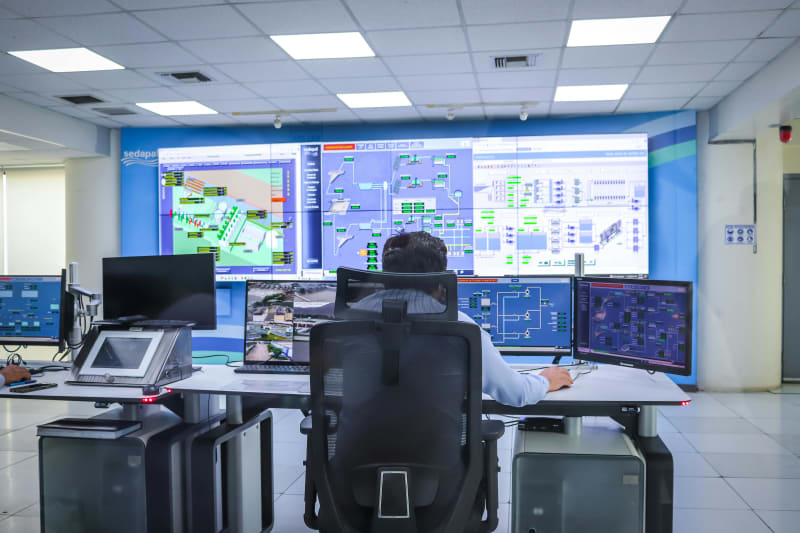
Here's the part that actually matters. You can't prevent every failure. But you can build systems that recover automatically and alert you when they can't.
1. Add Retry Logic (This Alone Fixes Most Problems)
Gartner's 2024 RPA benchmarks found that implementing retry logic with exponential backoff reduces spurious process failures by 93%. That's not a typo. Most automation failures are transient: a momentary API timeout, a brief rate limit, a network hiccup. Three retries with increasing delays (1 second, 2 seconds, 4 seconds) resolves the vast majority without any human intervention.
Zapier has built-in auto-retry. Make.com lets you configure retry behavior per module. n8n supports retry logic in its error workflow settings.
2. Build Error Handling Blocks
Processes using granular try-catch error handling reduce unexpected stops by 53% (2024 RPA Community Survey). Instead of letting your workflow die when step 3 fails, route the failure to a backup path:
- Primary email provider down? Route to a secondary provider.
- AI model returning errors? Fall back to a simpler model or a template-based response.
- Payment API timing out? Queue the transaction for retry in 15 minutes instead of losing it.
Make.com is particularly good at this. You can build alternative pathways for when things break, with module-level execution logs showing exactly what failed and why.
3. Set Up Monitoring (It's Free)
You need to know when something breaks before your customers tell you. A few options:
| Tool | Free Tier | What It Monitors |
|---|---|---|
| Better Stack | 10 monitors, 10 heartbeats | Uptime, cron jobs, incident management |
| UptimeRobot | 50 monitors | Website and API uptime |
| Cronitor | 5 monitors | Cron jobs and scheduled automation |
| Zapier (built-in) | Included in plan | Workflow errors and failures |
Better Stack's free tier is genuinely useful. Ten heartbeat monitors means you can have ten critical workflows ping a URL on successful completion. If the ping doesn't arrive on schedule, you get an alert. That's the simplest, most effective monitoring pattern for small business automation.
4. Keep a Human in the Loop for High-Stakes Stuff
Full automation makes sense for data syncing, internal notifications, and routine updates. For anything involving money, customer communication, or legal compliance, add a human checkpoint.
This doesn't mean reviewing every single output. It means setting confidence thresholds. If the AI is 95%+ confident, let it run. Below that, queue it for human review. This catches the hallucinations and edge cases that would otherwise reach your customers. (For more on this approach, including how to deploy AI automation safely, we covered that in detail.)
5. Pin Your Versions and Subscribe to Changelogs
This is the unglamorous work that nobody wants to do but everybody needs to. Pin your AI model versions. Subscribe to the OpenAI deprecations page. Follow the changelogs for every third-party API your workflows depend on. Set a calendar reminder to review your automations quarterly.
Most businesses skip this. Then they're surprised when a model deprecation breaks their customer service bot at 3am.
The Prevention Math
Here's why it's worth spending time on this. APM (Application Performance Monitoring) investments deliver 357% ROI over three years with a 5-month payback period (New Relic/IDC study). Automating error detection alone reduces errors by 70% and cuts operational costs by 20 to 30%.
A monitoring stack for a small business costs $0 to $100/month. A single automation failure that sends wrong emails to your entire customer list, misses a day's worth of leads, or double-charges 50 customers can cost tens of thousands in lost revenue and reputation damage.
The businesses that treat automation like "set it and forget it" are the ones posting on Reddit about how their Zapier workflow sent 2,000 duplicate invoices on a Tuesday morning. The businesses that spend an extra hour on error handling, monitoring, and version pinning don't have those stories. That's the non-googlable insight: the boring prevention work is the entire difference between "AI automation is amazing" and "AI automation ruined my week." (And if you're still on the fence about whether automation is right for your business, we debunked the most common automation myths separately.)
Want to see what automation looks like when it's built right? Automiva builds AI tools for small businesses with error handling, monitoring, and reliability baked in from the start.