How AI Handles CRM Data Entry So Your Sales Team Doesn't Have To

Your sales reps are spending 5.5 hours a week typing stuff into your CRM. Not selling. Not calling prospects. Not closing deals. Typing. Logging calls they already made, updating contacts they already emailed, entering meeting notes for conversations that already happened.
Salesforce's own State of Sales report found that reps spend only 28% of their time actually selling. The rest? Admin, CRM updates, internal meetings, and searching for information they should already have. And here's the part that really stings: 91% of CRM data is incomplete, and 70% of it goes stale every year (Validity, 2024). So all that time your team spends entering data? A huge chunk of it is wrong or outdated within months.
AI CRM data entry automation doesn't ask your reps to change how they work. It watches what they're already doing (emails, calls, meetings) and logs everything automatically. No typing. No forgetting. No "I'll update it later" that never happens.
Why CRM Data Entry Is the Bottleneck Nobody Talks About

Here's what I've seen with almost every sales team we work with: they bought a CRM to get visibility into their pipeline. Then they spent the next two years fighting their own team to actually use it.
The problem isn't the CRM. It's the data entry.
A rep finishes a discovery call at 2:15 PM. They have a follow-up call at 2:30. Are they going to spend those 15 minutes logging notes, updating the deal stage, adding the new contact they met, and scheduling a task? Of course not. They're prepping for the next call. The CRM update gets pushed to end of day. By then, they've had four more conversations and can barely remember what happened in the first one.
Multiply that by 10 reps and you've got a pipeline that's half fiction.
The numbers back this up. Gartner reports that poor data quality costs organizations an average of $12.9 million per year. McKinsey found that employees spend 45% of their time on manual tasks that could be automated. And in a 2025 survey by ZoomInfo, 45% of sales professionals said they use AI at least once a week, with AI-powered CRMs cited as the most commonly used sales AI tool.
The gap between "what happened" and "what's in the CRM" is where deals slip through. Forecasts get unreliable. Managers can't tell which deals are real and which are wishful thinking. And when a rep leaves, all that tribal knowledge walks out the door because none of it was captured properly.
How Does AI CRM Data Entry Actually Work?
Let me back up and explain what we're actually talking about, because "AI for CRM" gets thrown around pretty loosely.
AI CRM data entry automation works through something called activity capture. Instead of waiting for a rep to manually log their interactions, the system syncs directly with their email, calendar, and phone. Here's what it does:
1. Email logging. Every email sent to or received from a contact gets matched to the right CRM record automatically. The system reads the email headers, identifies the contact, and logs it. No BCC-ing a special address. No copy-pasting.
2. Calendar sync. When a rep books a meeting, the system creates the activity in the CRM, links the attendees to their contact records, and after the meeting, logs it as completed. Some tools also capture meeting transcripts and summaries.
3. Call capture. Calls made through VoIP or integrated phone systems get logged with duration, recording links, and AI-generated summaries. The rep talks. The CRM updates.
4. Contact enrichment. When a new email address appears in a conversation, AI pulls in company name, job title, phone number, and social profiles from public data sources. The contact record gets created and filled in without anyone touching a keyboard.
5. Deal stage updates. This is the one that really matters. AI analyzes conversation patterns, email sentiment, and activity frequency to suggest (or automatically update) where a deal sits in your pipeline. A deal that hasn't had contact in 14 days gets flagged. A deal where the prospect mentions budget approval in an email gets moved forward.
If your sales team is spending more time updating the CRM than actually selling, LeadLens automates lead scoring and pipeline management for $249. It handles the data entry and qualification piece so your reps focus on closing.
What CRM Automation Tools Cost in 2026
Here's where it gets practical. Not every CRM charges the same for AI features, and some bundle them while others charge extra.
| Platform | Monthly Cost | AI Data Entry Features | Best For |
|---|---|---|---|
| Freshsales (Freddy AI) | From $39/user/mo | Lead scoring, deal insights, auto-assignment, next-best-action | Small teams, budget-conscious |
| Pipedrive (AI Sales Assistant) | From $49/user/mo | Deal recommendations, email tracking, activity insights | Simple pipelines, SMBs |
| HubSpot (Operations Hub Pro) | $800/mo (5 users) | Data quality automation, programmable automation, data sync | Mid-size teams, marketing + sales |
| Salesforce (Einstein Activity Capture) | From $165/user/mo | Email/calendar capture, contact auto-creation, AI lead scoring | Enterprise, complex sales |
| Zoho CRM (Zia AI) | From $40/user/mo | Predictions, anomaly detection, email sentiment, workflow suggestions | Budget teams, Zoho ecosystem |
| Clari (Revenue Intelligence) | ~$100-125/user/mo | Full activity capture, deal health scores, forecast AI | Revenue teams, forecasting |
A few things worth noting. Freshsales at $39/user/month is genuinely hard to beat for small teams that want AI features without the enterprise price tag. Freddy AI handles lead scoring and deal predictions, which is 80% of what most small teams need.
Pipedrive is the pick if you want simplicity. Their AI Sales Assistant watches your pipeline and nudges you when a deal needs attention, but it doesn't do full automatic activity capture the way Salesforce or Clari does.
HubSpot's pricing is weird for this. The AI-powered data quality tools live in Operations Hub, which starts at $800/month. If you're already on HubSpot for marketing, this makes sense. If you're buying just for CRM automation, it's expensive for what you get.
And Salesforce? Look, Einstein Activity Capture is excellent. It silently captures everything and your reps never know it's working. But at $165/user/month (Enterprise tier), it's priced for companies that have already committed to the Salesforce ecosystem.
What Actually Changes When You Stop Doing Manual Entry?
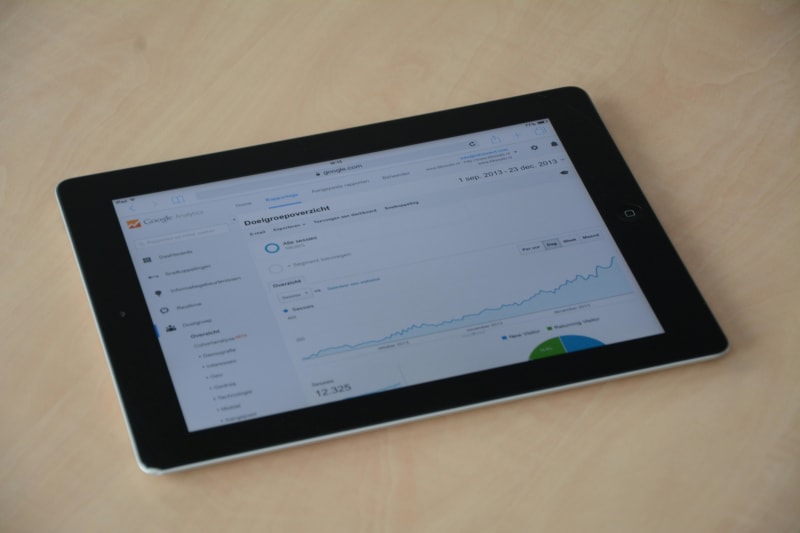
The time savings are obvious. 5.5 hours per rep per week, back in your sales calendar. For a 10-person team, that's 55 hours recaptured every single week. Over a year, 2,860 hours. That's basically 1.4 full-time headcount worth of selling time you were burning on admin.
But the bigger shift is data quality. When activity capture runs automatically, your CRM goes from "mostly outdated guesses" to "accurate record of what's actually happening." That changes three things:
Pipeline visibility. Your forecast stops being a wish list. When every email, call, and meeting is logged, you can see which deals are active and which are zombies. Businesses using AI-powered CRM features are 83% more likely to exceed their sales goals (CRM.org, 2025). That's not because the AI is magic. It's because the data is finally accurate.
Rep accountability. When activity is captured automatically, you stop having the "are you logging your calls?" conversation. The data is just there. You can see who's active, who's coasting, and where the pipeline is thin without micromanaging anyone.
Deal intelligence. AI doesn't just log data. It reads it. When a deal goes quiet for two weeks, you get a flag. When a prospect mentions a competitor in an email, you get an alert. When engagement drops across a segment, you see the pattern before the revenue hit. Companies using AI sales tools report 30% better conversion rates and 25% shorter sales cycles (MarketsandMarkets, 2025).
If you're running a sales team where pipeline data is unreliable and forecasts miss the mark, the fix usually isn't more CRM training. It's taking data entry out of your reps' hands entirely. LeadLens handles lead scoring and CRM automation so the pipeline stays accurate without manual updates.
The "Dirty CRM" Problem (And Why Training Doesn't Fix It)
Here's the thing nobody talks about: you've probably already tried to fix this. CRM training sessions. Weekly "update your pipeline" reminders. Maybe even a carrot-and-stick approach where commission depends on CRM hygiene.
None of it works long-term. And the reason is simple: you're asking humans to do a computer's job.
Manual data entry has an error rate of 1-4% even when people are trying their best (Conexiom, 2024). In sales, the error rate is worse because reps are entering data as an afterthought, not as their primary task. Fields get skipped. Deal values are estimated. Close dates are fantasy. Contact names are misspelled. And once bad data gets in, it compounds. A wrong contact linked to the wrong company, associated with the wrong deal, generating the wrong forecast.
The manual data entry error rate for sales specifically is brutal because the person entering the data doesn't benefit from it. The rep fills in the CRM for their manager's reporting, not for their own workflow. So there's zero intrinsic motivation to get it right. Automation removes the human from the loop entirely, and that's the only way the data stays clean.
71% of small businesses have adopted CRM systems (CRM.org, 2025), but adoption means nothing if the data inside is garbage. A CRM full of stale contacts and ghost deals is worse than no CRM at all, because it creates false confidence in a pipeline that doesn't exist.
How to Start Without Ripping Out Your CRM
Wait, I should probably mention this before you start comparing tools: you don't need to switch CRMs. The best automation tools plug into whatever you're already using.
Here's the phased approach that works for most small sales teams:
Week 1: Turn on email and calendar sync. Almost every modern CRM has this built in (even on cheaper plans). Go to settings, connect your team's email and calendar. This alone captures 60-70% of sales activity without any behavior change from your reps.
Week 2-3: Enable lead scoring. If your CRM has AI-powered lead scoring (Freshsales, Pipedrive, HubSpot, Salesforce all do), turn it on. This uses the activity data you're now capturing to rank leads by engagement. Your reps stop guessing which leads are hot and start working the ones that actually respond.
Month 2: Add contact enrichment. Connect a data enrichment tool or enable your CRM's built-in enrichment. New contacts get auto-populated with company info, job titles, and social profiles. This saves 2-3 minutes per new contact, which adds up to hours per week across a team.
Month 3: Review and expand. Check your CRM data quality. Are activities being captured? Are deal stages accurate? Are contacts up to date? The teams that get this right aren't the ones with the fanciest tools. They're the ones that automated one thing, confirmed it worked, and built from there.
The Numbers Behind CRM Automation in 2026
The CRM market is expected to hit $126.17 billion in 2026, with 91% of companies with 10+ employees already using a CRM (CRM.org, 2025). AI adoption inside those CRMs is accelerating fast: 83% of companies are now using AI features for smarter automation and personalized interactions.
But here's the stat that should matter most to small teams: 65% of businesses using generative AI in their CRM are 83% more likely to exceed sales goals. And SMB AI adoption in the U.S. jumped from 39% in 2024 to 55% in 2025 (Salesforce Small Business Trends). The businesses that are growing are the ones automating. The ones that aren't are still asking their reps to type.
For a 5-person sales team spending $39-49/user/month on a CRM with AI features, the total cost is $195-245/month. If CRM automation helps each rep recover even 4 hours of selling time per week and close one additional deal per quarter, the ROI isn't a question. It's already happened.
Want to see what else you can automate in your sales workflow? Automiva builds AI tools for sales teams and small businesses that want cleaner data and more closed deals without adding headcount.