How to Set Up Automated Payment Reminders That Don't Annoy Customers

Here's a fun stat: 87% of businesses get paid late (Chaser, 2022). Not some of the time. Routinely. And the average small business is sitting on $17,500 in unpaid invoices right now (QuickBooks, 2025).
You already know the fix is payment reminders. The problem is that most businesses either don't send them (awkward) or send them in a way that makes customers feel like they're being chased by a collections agency. There's a middle ground, and it's not hard to set up. You just need the right timing, the right tone, and a tool that handles it without you having to think about it.
Why Most Payment Reminders Don't Work
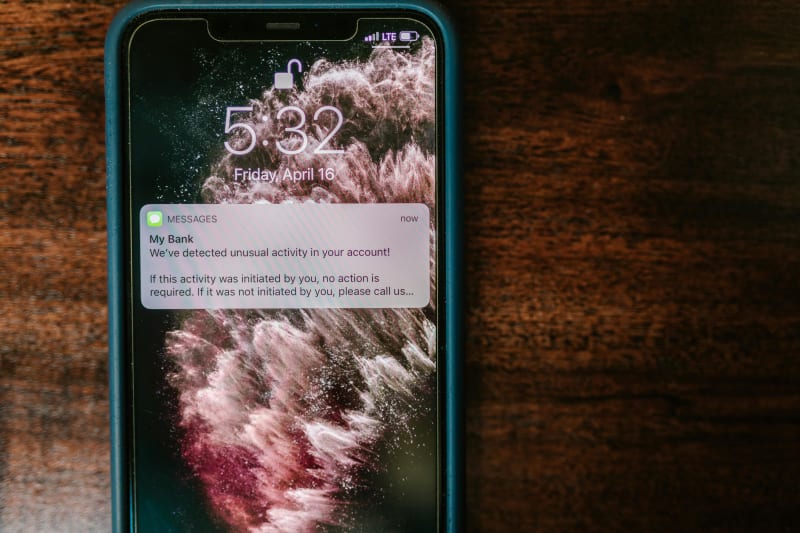
Let me back up for a second. The reason payment reminders have a bad reputation isn't because they're a bad idea. It's because most businesses do one of two things wrong.
They only send reminders after the invoice is already late. That's the "you owe us money" approach, and it puts the customer on the defensive immediately. Bill.com's payment data shows that 82% of customers actually prefer a heads-up before the due date over getting a "you're late" message after the fact.
They send generic, impersonal messages. "Dear Customer, your invoice is overdue. Please remit payment." Nobody reads that. Nobody feels compelled to act on it. A/B testing from Vark.io found that personalized reminders (using the customer's name, invoice number, and specific amount) resulted in a 53% reduction in missed payment commitments compared to generic templates.
The businesses getting this right treat automated payment reminders like a service, not a demand. "Hey, your invoice for $2,400 is due Thursday. Here's a quick link to pay." That's helpful. That's the kind of message people actually appreciate.
And look, 53% of small business owners have turned down business opportunities because cash flow problems from unpaid invoices limited their capacity (QuickBooks, 2025). This isn't just about collecting money. It's about keeping your business running.
If your bookkeeping needs to stay in sync with your payment collection, BookBot automates transaction categorization, reconciliation, and financial reporting for $199. It's one less thing to track manually while your reminders run.
The Timing That Actually Gets You Paid
Timing is everything with payment reminders. Send too early and people ignore it. Send too late and the intent to pay has already evaporated. Here's what works, based on data from Stripe, Esker, and Upflow.
3 to 5 days before the due date. This is the most important message in the sequence, and most businesses skip it entirely. A simple "Your invoice for $1,200 is coming due on March 20th" with a payment link. Businesses that send pre-due reminders see a 30 to 40% reduction in late payments and a 12 to 15 day improvement in DSO (Bill.com data).
On the due date. A short, friendly nudge. "Your invoice is due today. Click here to pay." No guilt trip. Just a reminder with a direct link.
3 to 5 days after. This is your first overdue message, but keep it light. "Looks like this one slipped through the cracks. Invoice #4521 for $1,200 was due March 20th." Most overdue invoices at this stage are genuinely forgotten, not intentionally ignored.
10 to 14 days after. Now you can be a bit firmer. Mention your late payment policy if you have one. "Invoice #4521 is now 10 days past due. Per our terms, a 1.5% late fee applies after 15 days."
30+ days after. Final notice territory. Professional but direct. If you're still not getting a response at this point, it's time for a phone call (yes, a real one) before escalating to collections.
Here's the thing most guides won't tell you: the pre-due reminder does more work than all the overdue messages combined. It's the cheapest, least annoying, most effective touchpoint in the entire sequence.
Should You Text or Email?
This one isn't even close.
SMS has a 98% open rate. Email sits at 20 to 28%. And 90% of text messages are read within 3 minutes of delivery (Omnisend, 2025).
But the real stat that matters: using email and SMS together increases your chance of getting paid within a week of the due date by 56% (Chaser, 2022). That's not a marginal improvement. That's the difference between steady cash flow and spending your Friday afternoons calling people about overdue invoices.
Text messaging surpassed email as consumers' preferred channel for business communication in 2024 (EZ Texting). 35% prefer texts, 31% prefer email, 29% prefer phone calls. And 79% of consumers are now opted in to receive texts from businesses (SimpleTexting, 2025), up from 71% the year before.
The play is simple: email for the pre-due reminder and due-date reminder, SMS for the overdue follow-ups. Email gives you room for detail (invoice breakdown, payment terms, multiple payment options). SMS gets urgent attention when the invoice is already late. People are 134% more likely to respond to a text than an email (SimpleTexting, 2025).
One thing to watch: 75% of millennials consider phone calls from businesses "too time consuming" (SimpleTexting, 2024). If your customers skew younger, calling about overdue invoices might damage the relationship more than the late payment does. Text first. Always.
What to Actually Write in a Payment Reminder
Tone matters more than you'd think. Here's what we've seen work across dozens of small businesses we've talked to.
Pre-Due Reminder (Email)
Subject: Invoice #4521 due March 20th
Hi [Name],
Quick heads-up: your invoice for $1,200 is due on March 20th. You can pay in one click here: [payment link].
Let us know if you have any questions.
Thanks, [Your Name]
That's it. Short. Specific. No fluff. Subject line personalization alone increases email open rates by 26% (Financesonline, 2024).
First Overdue (SMS)
Hi [Name], invoice #4521 ($1,200) was due March 20. Here's a quick link to pay: [link]. Let us know if anything's off.
Second Overdue (Email)
Subject: Payment overdue: Invoice #4521
Hi [Name],
Just following up on invoice #4521 for $1,200, originally due March 20th. It's now [X] days past due.
If there's an issue with the invoice or you need to discuss payment terms, reply to this email. Otherwise, you can pay here: [payment link].
Per our agreement, a late fee of 1.5% will apply after 30 days.
Best, [Your Name]
Notice the escalation in formality, not aggression. You're being clearer about consequences, but you're still treating them like a person you want to keep as a customer. (For the full invoice and billing automation workflow from quote to payment, we covered that in detail.)
For tradespeople who need quoting and invoicing tied together before reminders even kick in, TradesBot generates estimates and invoices from photos and job descriptions for $199. Handles the front end so your reminders handle the back end.
Best Tools for Automated Payment Reminders in 2026
You don't need to build this yourself. Most accounting and AR tools have automated reminders built in or available as add-ons.
Built Into Your Accounting Software
| Tool | Starting Price | Reminder Features | Best For |
|---|---|---|---|
| QuickBooks Online | $38/month | Built-in reminders on all plans, AI-powered payment agent on Advanced ($275/month) | Businesses already on QuickBooks |
| FreshBooks | $33/month (Plus) | Automated late payment reminders, late fee application | Freelancers and service businesses |
| Xero | $47/month (Growing) | Invoice reminders with customizable templates | QuickBooks alternative users |
QuickBooks is the default here. If you're already using it, turn on automated reminders in Settings > Sales > Reminders. It takes about 90 seconds. FreshBooks gates automated reminders behind the Plus plan at $33/month, which is annoying but still cheaper than chasing invoices manually.
Dedicated AR Automation Tools
| Tool | Starting Price | What It Does | Best For |
|---|---|---|---|
| Chaser | $49/month | Automated email + SMS sequences, up to 50 invoices chased, 100 SMS credits | Businesses wanting sophisticated multi-touch sequences |
| GoCardless | 1% + $0.25/transaction | Direct debit collection, auto-retries failed payments (76% recovery rate) | Subscription or recurring billing |
| Melio | Free (Go tier) | 5 free ACH payments/month, basic reminders | Very small businesses testing the waters |
Chaser deserves a special mention. It plugs into QuickBooks and Xero and runs automated reminder sequences that you can customize per customer. Their data across 26,000 accounting professionals shows that businesses following up on 90%+ of invoices get paid fastest. If your accounting software's built-in reminders feel too basic, Chaser is the upgrade. (If you're also looking at automating your QuickBooks workflows more broadly, we wrote a full guide on that.)
GoCardless takes a different approach entirely. Instead of reminding people to pay, it collects directly via bank debit. Their Success+ feature automatically retries failed payments and recovers 76% of them. If your business runs on recurring payments, this eliminates most of the reminder problem altogether.
Setting It Up (The Actual Steps)
-
Pick your tool. If you're on QuickBooks or FreshBooks, start with what you have. If you need multi-channel (email + SMS) sequences, add Chaser or a similar dedicated tool.
-
Write your templates. Use the examples above as starting points. Personalize them with your business name, tone, and late payment terms. Every template should include the customer name, invoice number, amount, and a direct payment link.
-
Set your sequence. Pre-due (3 to 5 days before), due date, 3 to 5 days overdue, 10 to 14 days overdue, 30 days overdue. Start with email for the first two, add SMS for overdue messages.
-
Enable online payments. This is the single biggest accelerator. If customers can pay with one click instead of writing a check, collection speeds up dramatically. Offer ACH (cheaper, around 1% per transaction) and credit card (2.9% + $0.30) options.
-
Test it on yourself. Send yourself a test sequence before going live. Check that the payment links work, the formatting looks right on mobile, and the tone feels like your business. Not a robot.
-
Turn it on and stop thinking about it. The whole point of automation is that it runs without you. Check the results after 30 days. Adjust timing or wording based on what's converting.
How to Know It's Actually Working
Track three numbers after you launch:
Days Sales Outstanding (DSO). This is the average number of days it takes to collect payment after invoicing. The median across industries is 56 days (Upflow, 2024). Automated reminders should drop that by 12 to 25 days within the first quarter.
On-time payment rate. What percentage of invoices get paid by the due date? If you're starting below 50% (which is normal for B2B), aim for 65 to 75% within 90 days.
Time spent on collections. GoCardless merchants spend 2.6 hours per month managing late payments, compared to 30 hours for the average small business. If you're still spending significant time chasing payments after setup, your sequences need adjusting.
One company, Malt (a freelance marketplace), reduced their DSO from 124 days to 52 days after implementing automated reminders (Upflow, 2024). A 58% reduction. You probably won't see results that dramatic, but cutting DSO by even 20% on $50,000/month in invoicing puts real money back in your pocket. And for more on how AI handles the bookkeeping side of all this, we covered that separately.
Want to see what else you can automate beyond payment reminders? Automiva builds AI tools for small businesses across billing, bookkeeping, client intake, and more.