Customer Support Chatbot: Setup Guide + Conversation Flows
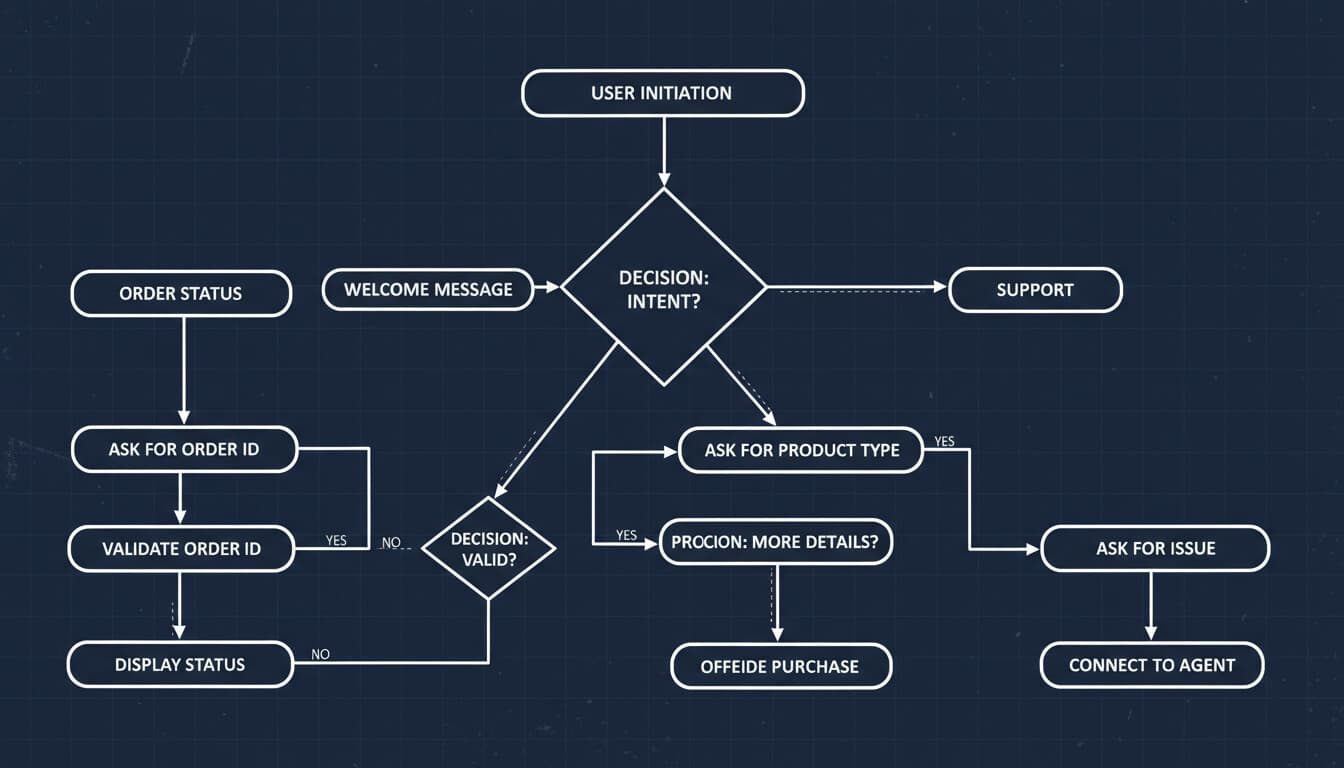
Setting up a customer support chatbot sounds straightforward until you actually try to do it. The tools are the easy part. Designing conversations that actually help customers and integrate with your business is where the real work happens.
This guide walks through the practical steps of implementing a customer support chatbot that works.
Phase 1: Foundation Work
Before touching any chatbot platform, do this groundwork.
Analyze Your Current Support
What do customers actually contact you about? Pull data from your help desk or support inbox.
Categorize your last 500+ tickets. What percentage fall into each category? What are the most common specific questions within each category?
Typical breakdown for many businesses:
- Order/delivery status: 20-30%
- Returns and refunds: 15-25%
- Product questions: 15-20%
- Account/billing issues: 10-15%
- Technical problems: 10-15%
- Other: 10-20%
Your distribution will differ. Know what it actually is before designing your chatbot.
Define Chatbot Scope
Your chatbot shouldn't try to handle everything. Define specifically:
Will handle completely: Questions it should resolve without human involvement. Usually high-volume, straightforward inquiries with clear answers.
Will assist with: Situations where the chatbot gathers information and sets up for human handling. Complex issues, sensitive matters, edge cases.
Will immediately escalate: Situations requiring immediate human attention. Angry customers, urgent issues, anything outside defined scope.
Start with a narrow scope and expand. A chatbot that handles 10 things excellently is better than one that handles 50 things poorly.
Map Your Systems
What systems does your chatbot need to access? For a support chatbot, typically:
- Order management (to check order status)
- Customer database (to look up account info)
- Help desk (to create and update tickets)
- Knowledge base (to pull accurate information)
- CRM (to log interactions)
Integration complexity varies dramatically by system. Some have great APIs. Some require workarounds.
Phase 2: Platform Selection
Several platform types exist for support chatbots.
Built-In Help Desk AI
If you use Intercom, Zendesk, Freshdesk, or similar, they offer built-in AI chatbots. Intercom Fin, Zendesk AI, and Freshdesk Freddy.
Pros: Already integrated with your support data, learns from existing tickets, unified experience.
Cons: Locked to that platform, capabilities vary, pricing can be unclear.
Dedicated Chatbot Platforms
Tidio, ChatBot.com, Drift, Landbot, and others focus specifically on chatbot functionality.
Pros: More chatbot features, often better conversation builders, work with any help desk.
Cons: Another tool to manage, integration required.
Custom Development
Build using AI APIs (OpenAI, Anthropic) with custom integration to your systems.
Pros: Maximum control, exactly what you need, no platform lock-in.
Cons: Higher development cost, maintenance burden, slower to launch.
Selection Criteria
Choose based on:
- What help desk you already use
- Integration complexity with your systems
- Budget constraints
- Technical capability on your team
- Customization requirements
For most businesses, starting with built-in help desk AI or a dedicated platform makes sense. Custom development only if you have specific requirements those can't meet. For a detailed platform comparison, see our chatbot for small business guide.
Phase 3: Conversation Design
This is where most chatbot projects succeed or fail.
Opening Message
The first message sets expectations. Be clear about what the chatbot can do.
Good example: "Hi! I'm the [Company] support assistant. I can help with order status, returns, account questions, and product information. What can I help you with today?"
Bad example: "Hello! I'm here to provide you with an amazing support experience. Ask me anything!"
The good example sets realistic expectations. The bad example overpromises.
Core Conversation Flows
Design flows for each use case in your scope. Here are templates for common support scenarios.
Order Status Flow:
User: Where's my order?
Bot: I can look that up for you. What's your order number?
User: [provides order number]
Bot: [Looks up order]
  If found:
    Order #12345 shipped on [date] via [carrier].
    Current status: [status]. Expected delivery: [date].
    Track it here: [tracking link]
    Anything else I can help with?
  If not found:
    I couldn't find that order number. Could you double-check it?
    You can also find it in your confirmation email.
    Or I can connect you with our team to help locate it.
Return Request Flow:
User: I want to return something
Bot: I can help with that. Could you share your order number?
User: [provides order number]
Bot: [Looks up order]
  I found your order. Which item would you like to return?
  [List items from order]
User: [selects item]
Bot: Got it. What's the reason for the return?
  - Changed my mind
  - Item defective/damaged
  - Wrong item received
  - Doesn't fit/work as expected
  - Other
User: [selects reason]
Bot: [Based on policy and reason]
  If eligible:
    This item is eligible for return. I'll email you a return label
    and instructions. Refund processes within [X] days of receiving the return.
    [Send label email]
  If not eligible:
    This item is outside our return window. I'll connect you with
    our team to discuss options.
Account Question Flow:
User: I need to update my address
Bot: I can help with that. For security, I need to verify your account.
    What email address is on your account?
User: [provides email]
Bot: [Verification step, often a code sent to email or last 4 of phone]
    For security, I've sent a verification code to your email.
    What's the 6-digit code?
User: [provides code]
Bot: Verified! What's your new address?
User: [provides address]
Bot: I've updated your shipping address to [new address].
    Would you like to update your billing address too?
Handling Unknowns
The chatbot will encounter things it can't handle. Design graceful failures.
When the bot doesn't understand: "I'm not sure I understood that correctly. Could you rephrase, or would you like me to connect you with our support team?"
When the request is outside scope: "That's something our team can help with directly. Let me connect you. What's the best email to reach you, and I'll have someone follow up within [timeframe]?"
When systems are unavailable: "I'm having trouble looking that up right now. Our team can help. You can also check [alternative method] or wait a moment while I try again."
Never leave users stuck. Always provide a path forward.
Escalation Design
When conversations need human handoff, make it smooth.
Preserve context. The human agent should receive full conversation history plus any information gathered (order number, account details, issue summary).
Set expectations. Tell the user what happens next: "A team member will respond within [timeframe] via [channel]."
Offer alternatives. "If you'd prefer a call, you can reach us at [phone] during [hours]."
Phase 4: Training and Content
AI chatbots learn from your content. Quality in, quality out.
Knowledge Base
Your chatbot needs accurate information to draw from. Audit and improve your knowledge base.
Are articles clear and current? Are common questions actually answered? Is information findable?
Many chatbot failures trace back to inadequate knowledge content.
Historical Conversations
Feed the chatbot examples of good support interactions. What do your best agents say? How do they handle tricky situations?
Clean this data first. You don't want the chatbot learning from poor examples.
Product Information
Ensure the chatbot has access to accurate product details, policies, pricing, and procedures. Outdated information creates customer frustration.
Phase 5: Integration and Testing
Integration Checklist
Before launch, verify:
- Order system integration working (can look up orders)
- Customer database connected (can identify customers)
- Help desk integration working (creates tickets properly)
- Email/notification triggers working
- Escalation routing correct
- Analytics tracking in place
Testing Protocol
Test every conversation flow with realistic scenarios.
Happy path testing: Standard interactions that should work smoothly.
Edge case testing: Unusual but valid scenarios. Missing information, typos, multiple issues in one conversation.
Failure testing: What happens when systems are down? When the user is hostile? When information is invalid?
Volume testing: Can it handle your expected conversation volume?
User testing: Have people unfamiliar with the chatbot try it. Watch where they get confused.
Document issues and fix before launch.
Phase 6: Launch and Iteration
Soft Launch
Don't go from zero to 100% traffic immediately.
Start with a subset: certain hours, certain pages, certain customer segments. Monitor closely. Fix issues before expanding.
Monitoring
Watch these metrics daily in the early weeks:
- Resolution rate (conversations resolved without human involvement)
- Escalation rate and reasons
- User satisfaction ratings
- Conversation drop-off points
- Common unhandled questions
Continuous Improvement
Based on monitoring:
- Add handling for frequent unrecognized questions
- Improve flows where users get stuck
- Update content when information is outdated
- Retrain on new successful conversations
Chatbots aren't "set and forget." They need ongoing attention.
Common Setup Mistakes
Trying to do too much. Start narrow. Expand based on success.
Poor escalation experience. Users who need humans should reach them easily and with context preserved.
Ignoring mobile. Most chat happens on mobile. Test the mobile experience.
No feedback mechanism. Let users rate the experience. It's your signal for what's working.
Inadequate training data. Generic chatbots don't understand your business. Invest in proper training. For cost estimates, see our AI chatbot development cost guide.
Launching without testing. Every bug you don't catch reaches customers. Test thoroughly.
Next Steps
If you're ready to implement a customer support chatbot, start with the foundation work. Analyze your support data. Define your scope. Then move to platform selection and conversation design.
If you want help with implementation, we build support chatbots for businesses. See our solutions or contact us to discuss your specific needs.