How to Automate Appointment Booking and Reminders for Any Service Business

A Calendly study from 2024 found that 43% of professionals spend three or more hours per week just scheduling meetings. Not doing the work. Not serving clients. Scheduling. And that number only accounts for the back-and-forth. It doesn't include the time spent calling no-shows, manually sending reminders, or rearranging the calendar after a last-minute cancellation.
Here's what makes it worse: the average service business loses around $150,000 per year to no-shows, according to MGMA data on independent practices. Each empty slot costs you $150-200 in lost revenue, and you can't fill it because you found out 20 minutes after the appointment was supposed to start.
If you're still managing appointment booking with phone calls, sticky notes, or a Google Calendar shared link you set up three years ago, this is the guide that'll get you to something better. Not perfect. But significantly less painful.
Why Manual Booking Breaks Down (Even When You're Good at It)

Let me back up for a second. The problem isn't that you're bad at scheduling. The problem is that phone-based booking can't scale past a certain point, and most service businesses hit that ceiling earlier than they think.
Consider what's happening at a typical small service business:
- 37% of calls to service businesses go unanswered during business hours (Zenoti, 2024 data). Your team is busy with the client in front of them.
- Over 50% of booking attempts happen outside business hours. If there's no way to book at 9 PM on a Tuesday, that client is booking with someone else.
- Every rescheduling request requires a phone call, a calendar check, and a confirmation. Multiply that by 15-20 clients a week and you've lost half a day.
The thing nobody mentions about manual scheduling? It's not just slow. It trains your clients to expect friction. They stop trying to book because they know it'll take three calls and two voicemails to confirm a Thursday afternoon.
What Appointment Booking Automation Actually Looks Like
Automated booking isn't one thing. It's a stack of features that, when set up correctly, handle everything from the initial booking to the post-appointment follow-up without you touching it.
Here's the breakdown:
-
Online self-scheduling. Clients pick a date, time, and service from a booking page or widget on your website. The system checks your real availability across all connected calendars and only shows open slots.
-
Instant confirmation. The moment someone books, they get a confirmation via email and/or SMS with the date, time, location, and any prep instructions. No "we'll get back to you within 24 hours."
-
Automated reminder sequence. The system sends reminders at preset intervals before the appointment. More on this below, because the timing matters a lot more than you'd think.
-
Two-way communication. Clients can confirm, reschedule, or cancel directly from the reminder message. No phone call needed. This alone cuts your admin time significantly.
-
Waitlist management. When someone cancels, the system automatically notifies people on your waitlist. First to respond gets the slot. You don't have to make five phone calls to fill a Tuesday 2 PM opening.
-
Payment collection. Deposits or full prepayment at booking. This is the single most effective tool for reducing cancellations, because people who've paid don't ghost you.
If you're a service business that also needs to collect intake forms or qualifying information before the first appointment, IntakeIQ automates client intake for professional services at $249. It pairs well with any booking tool.
The Reminder Sequence That Actually Works
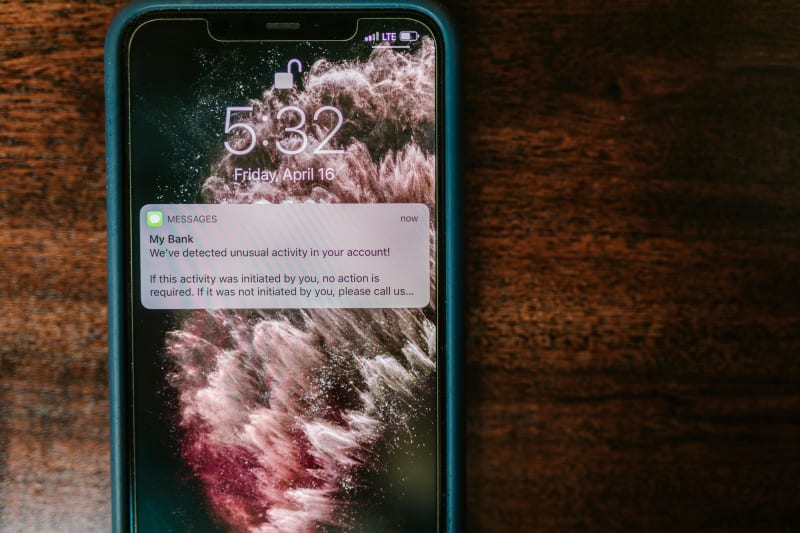
This is where most businesses mess up. They either send one reminder the day before (not enough) or blast five messages in three days (too much, and people start ignoring them).
Research from Prospyrmed and Acuity's reminder guide points to the same conclusion: a three-touch sequence works best. Here's the timing:
Touch 1: 48-72 hours before This is the "planning window" reminder. It gives clients enough time to reschedule if something came up. Keep it short: "Quick reminder: you have a [service] appointment on [date] at [time]. Need to reschedule? Tap here."
Touch 2: 24 hours before The "tomorrow" reminder. This is when people plan their next day. Include the address or virtual meeting link. A study from the Journal of Medical Internet Research found that text reminders at this interval reduce no-shows by 38-39%.
Touch 3: 2 hours before The "almost time" nudge. This catches same-day conflicts and people who simply forgot. Keep it to one sentence.
The timing of day matters too. Trumpia's research shows that sending text reminders at 6 PM gets a 41.4% higher confirmation rate than sending them at noon. People are done with work and actually checking their phones for personal stuff.
And here's the thing: SMS beats email for reminders by a wide margin. Text messages have a 98% open rate. Email sits around 20%. Over 90% of texts get read within three minutes, according to multiple industry studies. Use email for the initial confirmation (where you need space for details), but use SMS for the actual reminders.
What the Research Shows
The results aren't subtle:
| Organization | Reminder Approach | No-Show Reduction |
|---|---|---|
| Mayo Clinic (Jacksonville) | Text reminders, 2 days before | 50% drop |
| Health PEI (Obstetrics) | Consistent multi-touch reminders | 69% decrease |
| Dignity Health | Automated scheduling system | 25% decrease |
| El Rio Health (FQHC) | AI-powered appointment reminders | 32% reduction, +$100K/month revenue |
| General (JMIR study) | SMS reminders | 38-39% average reduction |
How Much Does Appointment Booking Software Cost?
Pricing varies a lot depending on your industry and team size. Here's the honest breakdown:
| Tool | Starting Price | Best For |
|---|---|---|
| Calendly | Free (1 event type) | Solo consultants and freelancers |
| Square Appointments | Free (1 user) | Solo service providers using Square |
| SimplyBook.me | Free tier available | Small businesses wanting flexibility |
| Acuity Scheduling | $16/month | Consultants and small service teams |
| Vagaro | $30/month | Salons, spas, and fitness studios |
| Jobber | $25/month (annual) | Home service businesses (HVAC, plumbing, cleaning) |
| Calendly Standard | $10/month/user (annual) | Teams needing integrations and multiple event types |
A few things the pricing pages don't mention: most platforms charge transaction fees of 2.6-2.9% when processing payments. Some charge per additional staff member ($10-29/month each). And the "free" tiers are genuinely useful for solo operators but hit limits fast once you add a second team member or want custom reminders.
For a solo operator, start with Calendly Free or Square Appointments. For a team of 3-5, budget $50-100/month. For a larger operation with field staff, Jobber's Connect plan at $169/month covers scheduling, quoting, invoicing, and route optimization.
Running a salon or spa? We wrote a detailed guide on AI booking automation for salons and spas with specific platform comparisons for beauty businesses.
How to Set This Up (Step by Step)
I'm not going to pretend this takes 10 minutes. But it shouldn't take more than an afternoon to get the basics running.
-
Pick a platform based on your industry. Vagaro for beauty/wellness. Jobber for home services. Acuity or Calendly for professional services. Don't overthink it. You can always switch later.
-
Define your services with real durations. This is where people cut corners. If a deep cleaning takes 90 minutes, don't list it as 60 because "sometimes it's faster." Add 15-minute buffer time between appointments for cleanup, travel, or just breathing.
-
Connect your existing calendars. Sync Google Calendar, Outlook, or whatever you're using. This prevents double-booking from personal events. Takes about 2 minutes in most platforms.
-
Set up your reminder sequence. Configure the three-touch SMS sequence: 48 hours, 24 hours, 2 hours. Use the platform's built-in templates but customize the tone to match how you actually talk to clients.
-
Add a cancellation policy. Require 24-hour notice and consider a late-cancel fee or deposit. Businesses that collect a deposit at booking see dramatically lower no-show rates because people don't walk away from money they've already spent.
-
Embed booking on your website. Every platform offers a booking widget or embeddable link. Put it on your homepage, your Google Business Profile, and your Instagram bio. The fewer clicks between "I need an appointment" and "It's booked," the more appointments you'll get.
-
Test it yourself. Book a fake appointment. See what the confirmation looks like. Get the reminders. Reschedule. Make sure it doesn't feel clunky from the client's side.
The Mistakes That'll Cost You
We've set up appointment automation for enough businesses to know where things go wrong. Here are the ones that keep coming up:
Not syncing all your calendars. You sync your work Google Calendar but forget about the personal one. Someone books during your kid's soccer game. Now you're either canceling on a client or missing the game.
Setting appointment durations too tight. If every appointment runs back-to-back with zero buffer, one late client throws off your entire day. Build in 10-15 minutes between slots. Your stress level will thank you.
Skipping the cancellation policy. To be honest, most business owners skip this because they're afraid clients won't book if there's a fee. The data says the opposite: clients who see a cancellation policy take the appointment more seriously. You're not being strict. You're being professional.
Sending reminders from a no-reply number. If clients can't reply to confirm or reschedule, they'll just not show up. Two-way SMS reminders reduce no-shows 23% more than one-way messages, according to a study in the Journal of General Internal Medicine.
Ignoring the post-appointment follow-up. The appointment ends and... silence. No thank-you, no review request, no rebooking prompt. You just spent an hour with a client and gave them zero reason to come back without manually remembering to.
After appointments, automated review requests make a big difference. ReviewReply handles review collection and responses for $99. 87% of consumers read online reviews before choosing a local service business, so this step directly feeds your booking pipeline.
What to Do This Week
You don't have to automate everything at once. Here's the minimum viable setup:
- Pick a booking tool and list your top 3 services with accurate durations
- Turn on the 48h + 24h + 2h SMS reminder sequence
- Add a booking link to your website and Google Business Profile
- Set a 24-hour cancellation policy with a deposit for high-value services
That alone will cut your no-shows by 25-40% and free up several hours of phone tag per week. You can add waitlist management, payment processing, and rebooking automation later.
The businesses that get the most out of appointment automation aren't the ones with the fanciest tools. They're the ones that actually set up the reminder sequence, add the booking link where clients can find it, and stop answering the phone for things a form can handle.