How to Automate Client Onboarding from Inquiry to First Meeting

A prospective client fills out your contact form on Monday. You see it Tuesday morning, send them an intake questionnaire. They respond Thursday. You email the contract Friday, but they don't sign it until the following week. By the time you schedule the first meeting, 12 days have passed and the client is already wondering if they picked the right firm.
This is the default experience for most service businesses. And the data says it costs you more than time.
Salesforce's 2025 customer experience report found that 86% of clients consider switching providers after a poor onboarding experience. A separate study by Onramp found that 25% will churn after just one bad experience. The gap between "interested client" and "first meeting" is where trust is built or broken. Most businesses let that gap stretch way too long.
What Client Onboarding Automation Actually Covers
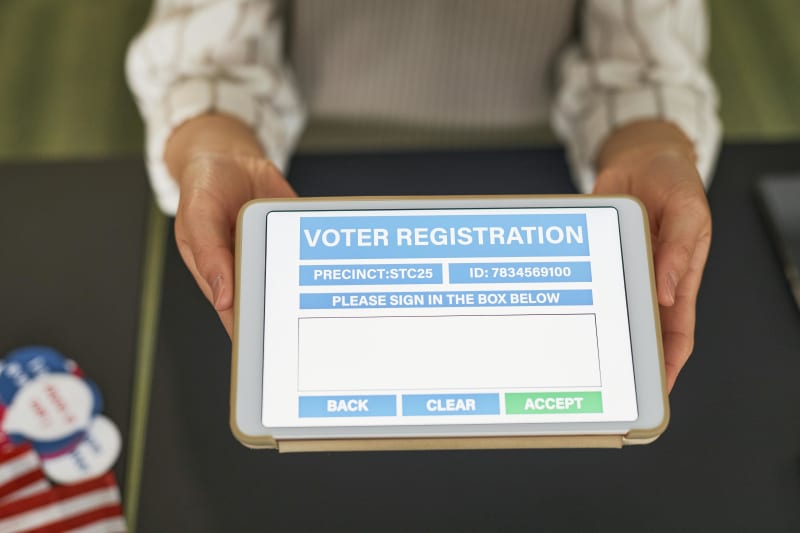
Client onboarding automation is the process of using connected software tools to move a new client from initial inquiry to a scheduled first meeting without manual back-and-forth. Instead of emailing forms, chasing signatures, and playing calendar tag, the entire sequence triggers automatically based on the client's actions.
Here's the scope we're talking about:
- A lead fills out your inquiry form
- They receive an immediate response with your intake questionnaire
- Once submitted, a contract or engagement letter is generated and sent for e-signature
- After signing, a document collection request goes out (if applicable)
- A scheduling link is sent automatically
- A welcome email with meeting prep goes out once the meeting is booked
Each step triggers the next. No one on your team touches it until the meeting appears on their calendar with all the client's information attached.
The difference between this and "just using Calendly" is significant. A scheduling link alone skips the qualification, intake, and contract steps that protect your business and prepare your team. Full onboarding automation handles the entire chain.
The 6-Step Automated Client Onboarding Workflow
Here's the exact workflow, step by step, with the tools that handle each piece.
Step 1: Inquiry capture. Your website form collects the prospect's name, email, service interest, and one or two qualifying questions. Tools like Typeform ($25/month), JotForm ($34/month), or the free Tally work here. The key is keeping it short. Five fields, not fifteen.
Step 2: Automatic qualification and response. The form submission triggers an automated email within 60 seconds. If your qualifying questions filter out poor fits (budget too low, wrong service type), those get a polite decline email. Qualified leads get your intake questionnaire immediately. Zapier ($29.99/month) or Make ($18.82/month) handles the routing logic.
Step 3: Intake form. The intake questionnaire collects the detailed information your team actually needs: project scope, timeline, budget range, existing systems, and any specific requirements. This replaces the "tell me about your business" portion of the first call, so the meeting itself is productive from minute one.
Step 4: Contract or engagement letter. Once the intake form is submitted, a contract is generated automatically using the client's information and sent for e-signature. DocuSign Essentials ($15/user/month), PandaDoc ($35/user/month), or HelloSign ($20/month) all handle this. The contract pulls in the client's name, company, and service type from the intake form data.
If your firm sends contracts and engagement letters manually, ContractCraft generates them from intake data for $199. It handles the drafting and review so your team isn't starting from a blank template every time.
Step 5: Document collection (if needed). For industries that require upfront documents (law firms need ID and case documents, accountants need financial records, agencies need brand assets), an automated request goes out after the contract is signed. Tools like Content Snare or FileInvite handle this with automated reminders. Content Snare users report a 71% reduction in document turnaround time (Content Snare, 2025).
Step 6: Meeting scheduling. The final trigger sends a Calendly or Acuity link. Calendly Professional ($12/user/month) handles this with automatic calendar syncing, buffer times, and pre-meeting reminders. Once booked, your team gets a notification with the full client file attached.
Total time from inquiry to booked meeting: 24 to 48 hours instead of 5 to 12 days.
What Does This Stack Actually Cost?
Here's a realistic cost breakdown for a small service business (1 to 5 people):
| Tool Category | Recommended Tool | Monthly Cost | What It Does |
|---|---|---|---|
| Inquiry form | Typeform / Tally | $25/mo (Tally: free) | Captures initial leads with qualifying questions |
| Automation connector | Zapier Professional | $29.99/mo | Links all tools together, handles routing logic |
| E-signature | DocuSign Essentials | $15/user/mo | Sends contracts, collects signatures |
| Scheduling | Calendly Professional | $12/user/mo | Books meetings with calendar sync |
| Document collection | Content Snare | $29/mo | Collects files with automated reminders |
| Client portal (optional) | SuiteDash / Bonsai | $19-39/mo | Centralized client dashboard |
Total for a solo practitioner: $111 to $150 per month. For a 3-person team, add roughly $40 for the per-user tools, bringing the total to about $190 per month.
Compare that to the cost of not automating. Small businesses spend an average of 120 working days per year on administrative tasks (SuiteDash, 2025). Firm owners lose up to 5 hours daily managing client communication. If your billable rate is $150/hour and you're spending even 5 hours per week on onboarding admin, that's $3,000/month in lost revenue.
If your firm handles client intake for professional services and wants the whole process qualified and organized automatically, IntakeIQ does exactly that for $249. It manages the lead qualification piece so qualified clients arrive ready for their first meeting.
What Actually Changes When You Automate Onboarding

The time savings are obvious. But three less visible changes matter more.
Client perception shifts. When a prospect gets an instant response, a professional intake form, and a contract within hours, they assume you're organized and experienced. A law firm using Motion.io cut their onboarding from 10 days to 3, and the American Bar Association featured it as a case study in their 2024 Tech Report. The speed didn't just save time. It changed how clients perceived the firm before the first conversation even happened.
Your first meeting becomes productive. Without automation, the first meeting is half discovery and half admin. "What's your budget?" "Can you send me those documents?" "Let me explain our process." With automated intake, all of that is done. Your first meeting starts with strategy, not paperwork.
Nothing falls through the cracks. Manual onboarding has a predictable failure mode: the rep gets busy, forgets to send the contract, the client waits three days, and the deal goes cold. According to the 2024 Clio Legal Trends Report, law firms with optimized onboarding workflows convert up to 40% more leads into paying clients compared to firms with manual processes. Automation doesn't forget.
Companies with a structured onboarding process see a 60% improvement in annual revenue (Onramp, 2025). That's not because onboarding generates revenue directly. It's because faster onboarding means faster time-to-revenue, fewer lost prospects, and higher retention from clients who felt taken care of from day one.
The Mistakes That Wreck Automated Onboarding
Before you connect everything, here are the mistakes that trip up most businesses.
Asking for too much too soon. A 20-field inquiry form kills your conversion rate. The initial form should have 4 to 6 fields. Save the detailed questions for the intake questionnaire that goes to qualified leads only.
Automating a broken process. If your current onboarding is unclear or inconsistent, automating it just makes the mess happen faster. Map out each step, fix the gaps, then automate. If you can't explain your onboarding in 5 clear steps, you're not ready.
Making it feel robotic. Automated doesn't mean impersonal. Use the client's name and specific details from their inquiry in every automated message. "Hi Sarah, thanks for reaching out about your bookkeeping needs" works. "Dear valued client, we received your inquiry" does not. Personalization uses context, not just data fields.
Skipping the human handoff. The automation handles the admin. A real person should still run the first meeting, answer complex questions, and build the relationship. The best systems know exactly when to stop automating and start a human conversation.
Never reviewing the workflow. Pricing changes, team availability shifts, service offerings evolve. Review your automated sequences quarterly. One stale detail in an otherwise smooth workflow can undermine the entire experience.
How to Set This Up This Week
You don't need to build the full 6-step workflow on day one. Here's a practical rollout that works for most small service businesses.
Days 1-2: Connect your form to email. Set up a Typeform or Tally inquiry form with 4 to 6 fields. Connect it to Zapier so every submission triggers an instant response email. This alone puts you ahead of most competitors. Remember, the average business takes 47 hours to respond to inquiries (RevenueHero, 2024).
Days 3-4: Add your intake questionnaire. Create a longer intake form for qualified leads. Set Zapier to send it automatically to anyone who passes your qualifying criteria. Now your pipeline has two stages: inquiry and intake.
Week 2: Add contracts and scheduling. Connect DocuSign or PandaDoc to trigger after intake completion. Add a Calendly link to the post-signature email. At this point, a client can go from inquiry to booked meeting without your team doing anything manually.
Week 3: Add document collection (if applicable). If your business needs upfront documents, add Content Snare or FileInvite to the workflow between contract signing and scheduling. FileInvite customers report a 34% decrease in document turnaround time, with some seeing reductions up to 87.5% (FileInvite, 2025).
Week 4: Review and refine. Check your completion rates at each stage. Where are people dropping off? Is the intake form too long? Is the contract confusing? Businesses that measure onboarding satisfaction see 35% better retention rates (MetaSource, 2025).
For context on automating the intake portion specifically, we covered the tools and process in detail for law firms, agencies, and consultants. And if your first meeting involves proposals or estimates, ProposalForge generates those from your intake data for $299.
The Numbers Behind Client Onboarding Automation
Here's what the research consistently shows across industries:
- 67% churn reduction from effective onboarding (Onramp, 2025)
- 60% revenue improvement for companies with structured onboarding processes (Onramp, 2025)
- 40% higher lead conversion for law firms with optimized onboarding (Clio Legal Trends Report, 2024)
- 95% of customers say easy onboarding is important to their loyalty (Jobera, 2025)
- 82% improvement in customer retention from smooth onboarding (Custify, 2025)
The financial advisory industry has seen similar results. One firm with five advisors automated their intake forms to trigger preset task lists, cutting their "signed-to-funded" timeline from 20 days to 11 (Zapier, 2025). Another real estate group, Premiere Property Group, automated agent onboarding across 1,300 agents and saved $115,000 per year.
For a small service business spending $150/month on onboarding tools, the math works out fast. If automation helps you close two additional clients per month that would have otherwise gone cold during a slow manual process, and your average client value is $2,000 or more, you've paid for the entire stack ten times over.
Want to see what else you can automate in your client workflow? Automiva builds AI tools for service businesses, from client intake to contract generation to lead qualification.